
EXIF auto-orient, orthogonal rotation, and arbitrary angles
In libvips, “rotating an image” maps to three distinct underlying operations depending on the angle and metadata. Mixing them up wastes CPU, risks rotating upright photos twice, or introduces unexpected dark corner triangles.
Choosing the right rotation operation
Section titled “Choosing the right rotation operation”| Scenario | libvips operation | Interpolated? | Output canvas dimensions | Typical use case |
|---|---|---|---|---|
| Normalize EXIF Orientation | vips_autorot |
No (exact pixel rearrangement) | Swaps width/height on 90°/270° | Normalizing smartphone camera uploads |
| 90° / 180° / 270° orthogonal turn | vips_rot |
No (exact pixel rearrangement) | Swaps width/height on 90°/270° | User-triggered “Rotate 90° left/right” actions |
| Arbitrary angle & scale | vips_similarity / vips_affine |
Yes (bilinear/bicubic) | Bounding box expands; corners filled with background | Deskewing, creative layouts, 2×2 affine matrices |
1. EXIF Orientation normalization (AutoRotate / autoOrient)
Section titled “1. EXIF Orientation normalization (AutoRotate / autoOrient)”Smartphone cameras typically record sensor pixels in a fixed orientation and store the physical camera tilt in the EXIF Orientation tag (1..8). If you crop or watermark an image before normalizing its orientation, the crop or watermark lands in the wrong corner.
Calling AutoRotate (.autoOrient() or zero-argument .rotate() in sharp) rotates/flips the pixels according to the EXIF tag and resets or removes the EXIF Orientation tag so browsers do not rotate the image a second time.
package main
import (    "fmt"    "os"
    "github.com/davidbyttow/govips/v2/vips")
func main() {    if err := vips.Startup(nil); err != nil {        fmt.Fprintln(os.Stderr, err)        os.Exit(1)    }    defer vips.Shutdown()
    image, err := vips.NewImageFromFile("input.jpg")    if err != nil {        fmt.Fprintln(os.Stderr, err)        os.Exit(1)    }    defer image.Close()
    // Rotate/flip pixels according to EXIF Orientation and reset the tag    if err := image.AutoRotate(); err != nil {        fmt.Fprintln(os.Stderr, err)        os.Exit(1)    }
    data, _, err := image.ExportWebp(vips.NewWebpExportParams())    if err != nil {        fmt.Fprintln(os.Stderr, err)        os.Exit(1)    }    if err := os.WriteFile("autorotated.webp", data, 0o644); err != nil {        fmt.Fprintln(os.Stderr, err)        os.Exit(1)    }}
import sharp from 'sharp';
// autoOrient() (or zero-arg rotate()) normalizes pixels from EXIF Orientation and resets the tagawait sharp('input.jpg') .autoOrient() .webp({ quality: 82 }) .toFile('autorotated.webp');import pyvips
image = pyvips.Image.new_from_file("input.jpg")upright = image.autorot()upright.write_to_file("autorotated.webp", Q=82)#!/usr/bin/env bashset -euo pipefail
vips autorot input.jpg 'autorotated.webp[Q=82]'2. Orthogonal 90° / 180° / 270° rotation (Rotate / rot)
Section titled “2. Orthogonal 90° / 180° / 270° rotation (Rotate / rot)”When rotating by an exact multiple of 90°, use orthogonal rotation. It rearranges pixel coordinates directly without interpolation blur or corner background fill:
// Accepts vips.Angle0, vips.Angle90, vips.Angle180, vips.Angle270 (clockwise)if err := image.Rotate(vips.Angle90); err != nil { return err}// Passing 90, 180, or 270 automatically selects fast orthogonal rotationawait sharp('input.jpg') .rotate(90) .webp({ quality: 82 }) .toFile('rot90.webp');import pyvips
image = pyvips.Image.new_from_file("input.jpg")# Accepts "d0", "d90", "d180", "d270" or helpers rot90() / rot180() / rot270()rotated = image.rot("d90")rotated.write_to_file("rot90.webp", Q=82)vips rot input.jpg 'rot90.webp[Q=82]' d903. Arbitrary-angle rotation and 2×2 affine transforms (Similarity / Affine)
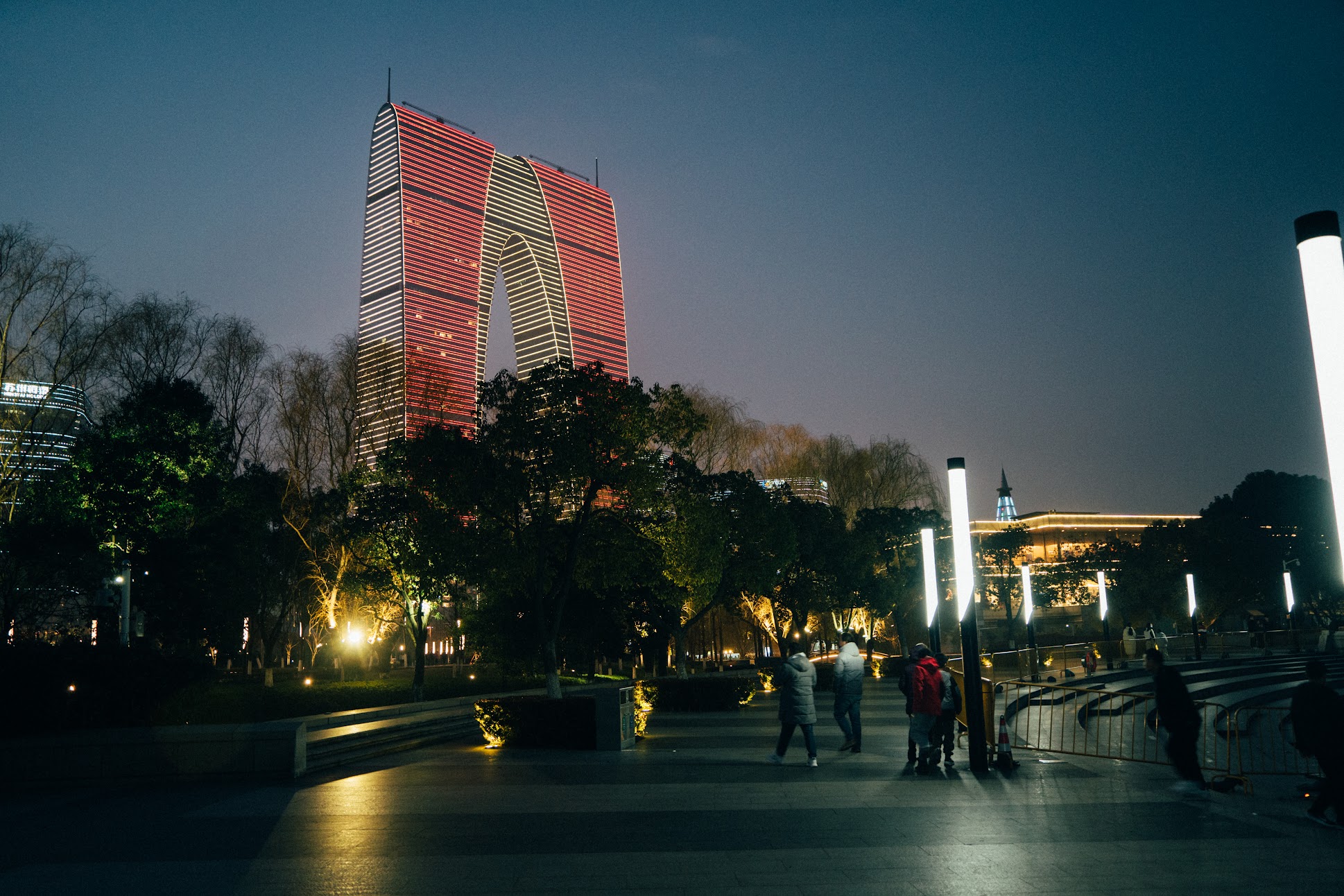
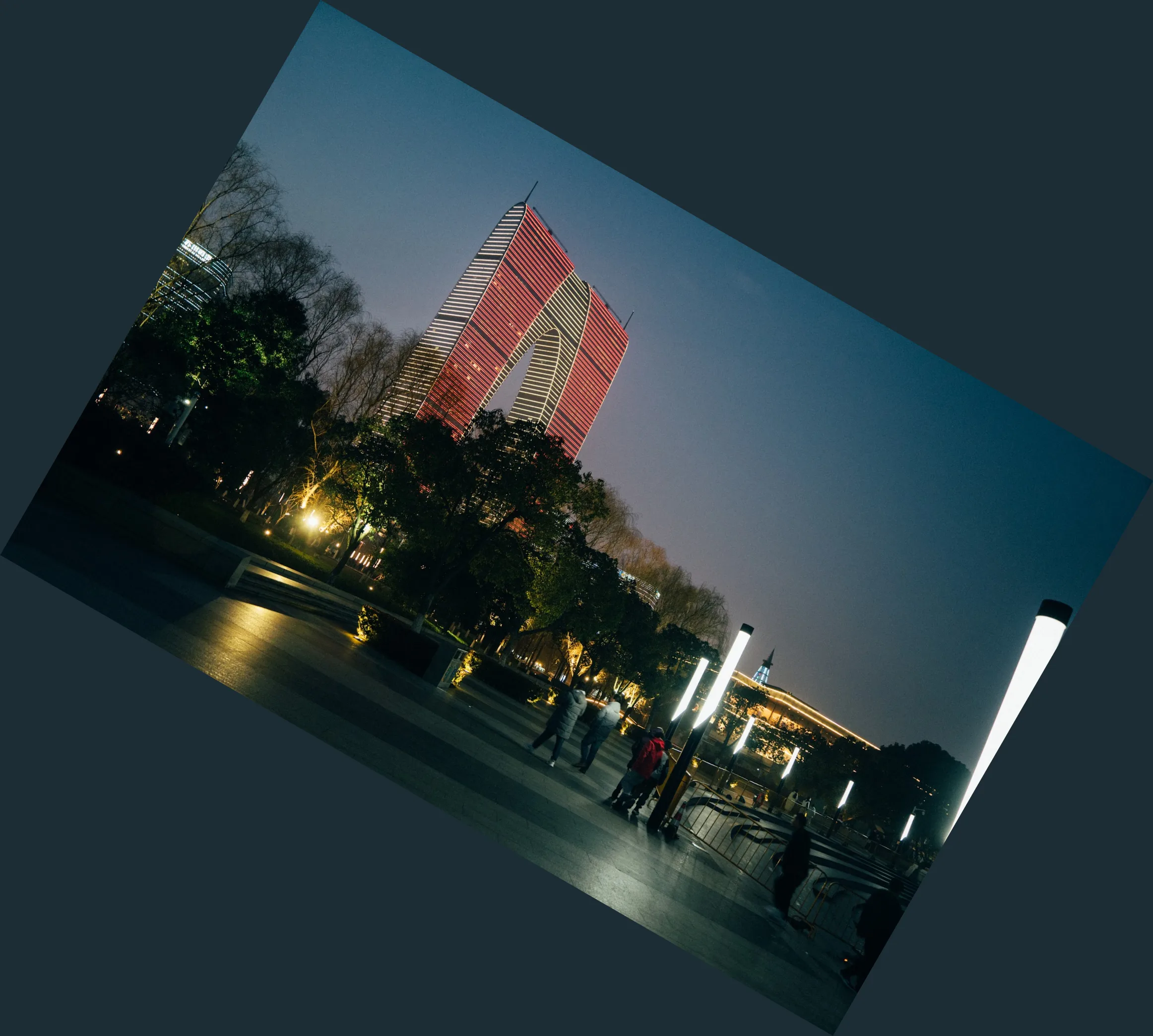
Section titled “3. Arbitrary-angle rotation and 2×2 affine transforms (Similarity / Affine)”For non-orthogonal angles (such as the 30° clockwise rotation shown at the top of this page), libvips uses vips_similarity to compute an expanded bounding box and interpolate pixels. Rotating the 1938 × 1292 source by 30° expands the canvas to 2324 × 2088 and fills the four exposed corner triangles with background (defaulting to black [0, 0, 0] if omitted).
When you also need shear or non-uniform 2×2 matrix transforms ([a, b, c, d]), sharp, pyvips, and vips CLI expose affine. govips v2.19.0 exposes Similarity (and 2D coordinate LUT resampling via Mapim) rather than a public Affine method:
// Similarity(scale, angle, backgroundColor, idx, idy, odx, ody)bg := &vips.ColorRGBA{R: 29, G: 45, B: 53, A: 255}if err := image.Similarity(1.0, 30.0, bg, 0, 0, 0, 0); err != nil { return err}// 1. Arbitrary-angle rotation with explicit background colourawait sharp('input.jpg') .rotate(30, { background: { r: 29, g: 45, b: 53 } }) .webp({ quality: 82 }) .toFile('rotate-30.webp');
// 2. General 2×2 affine matrix transform (e.g. horizontal shear)await sharp('input.jpg') .affine([1, 0.15, 0, 1], { background: '#1d2d35' }) .webp({ quality: 82 }) .toFile('sheared.webp');import pyvips
image = pyvips.Image.new_from_file("input.jpg")
# 1. Arbitrary-angle rotationrotated = image.similarity(scale=1.0, angle=30.0, background=[29, 45, 53])rotated.write_to_file("rotate-30.webp", Q=82)
# 2. General 2×2 affine matrix [a, b, c, d]sheared = image.affine([1.0, 0.15, 0.0, 1.0], background=[29, 45, 53])sheared.write_to_file("sheared.webp", Q=82)# 1. Arbitrary-angle rotationvips similarity input.jpg 'rotate-30.webp[Q=82]' --angle 30 --background 29,45,53
# 2. General 2×2 affine matrix transformvips affine input.jpg 'sheared.webp[Q=82]' "1 0.15 0 1" --background 29,45,53