
Flip, canvas embed/extend, and multi-image grid join
Beyond resizing and cropping, canvas geometry covers three frequent production tasks: mirroring images (Flip / Flop), embedding an image inside a larger padded canvas (Embed / Extend / Gravity), and stitching multiple images into strips or grids (Join / ArrayJoin).
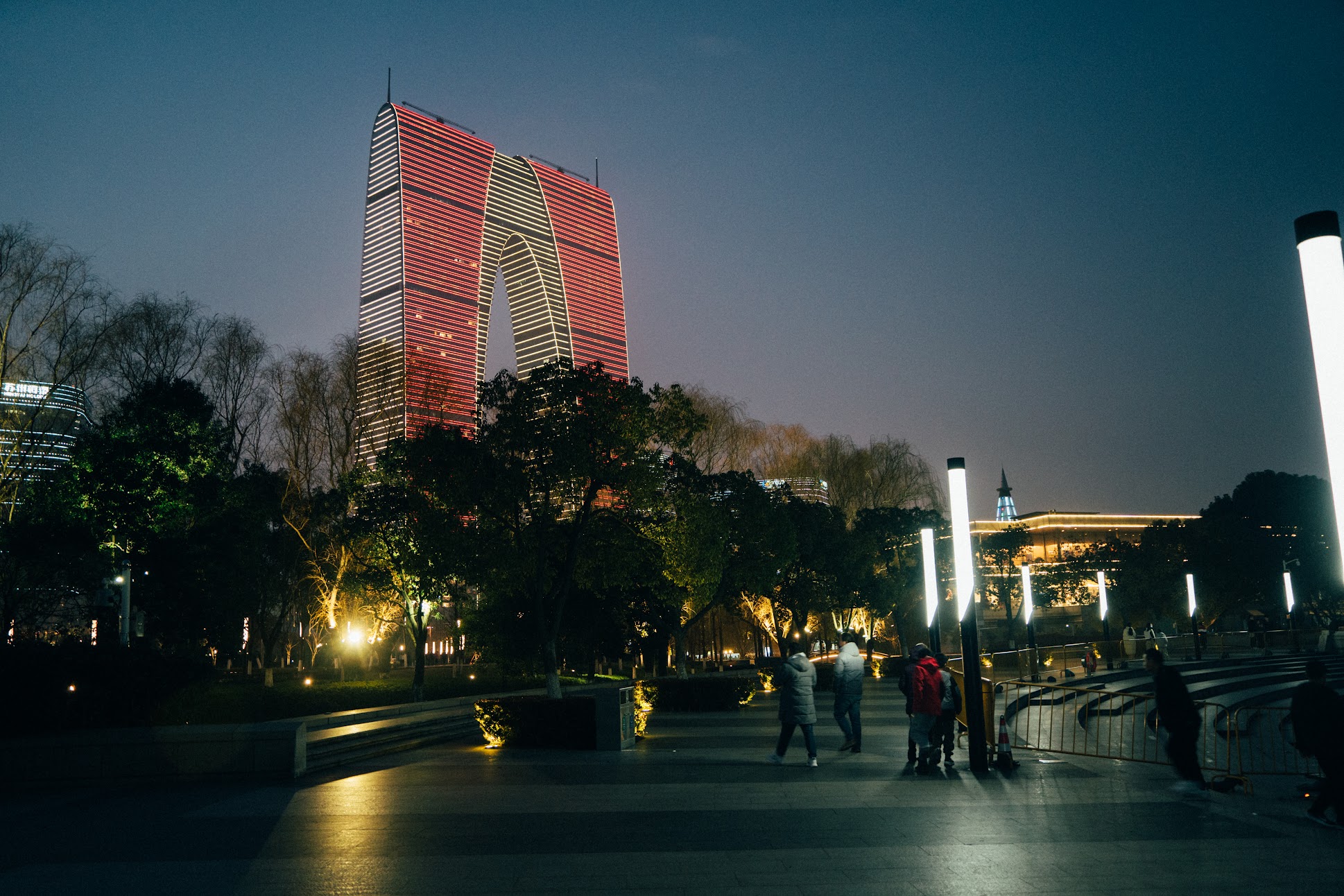
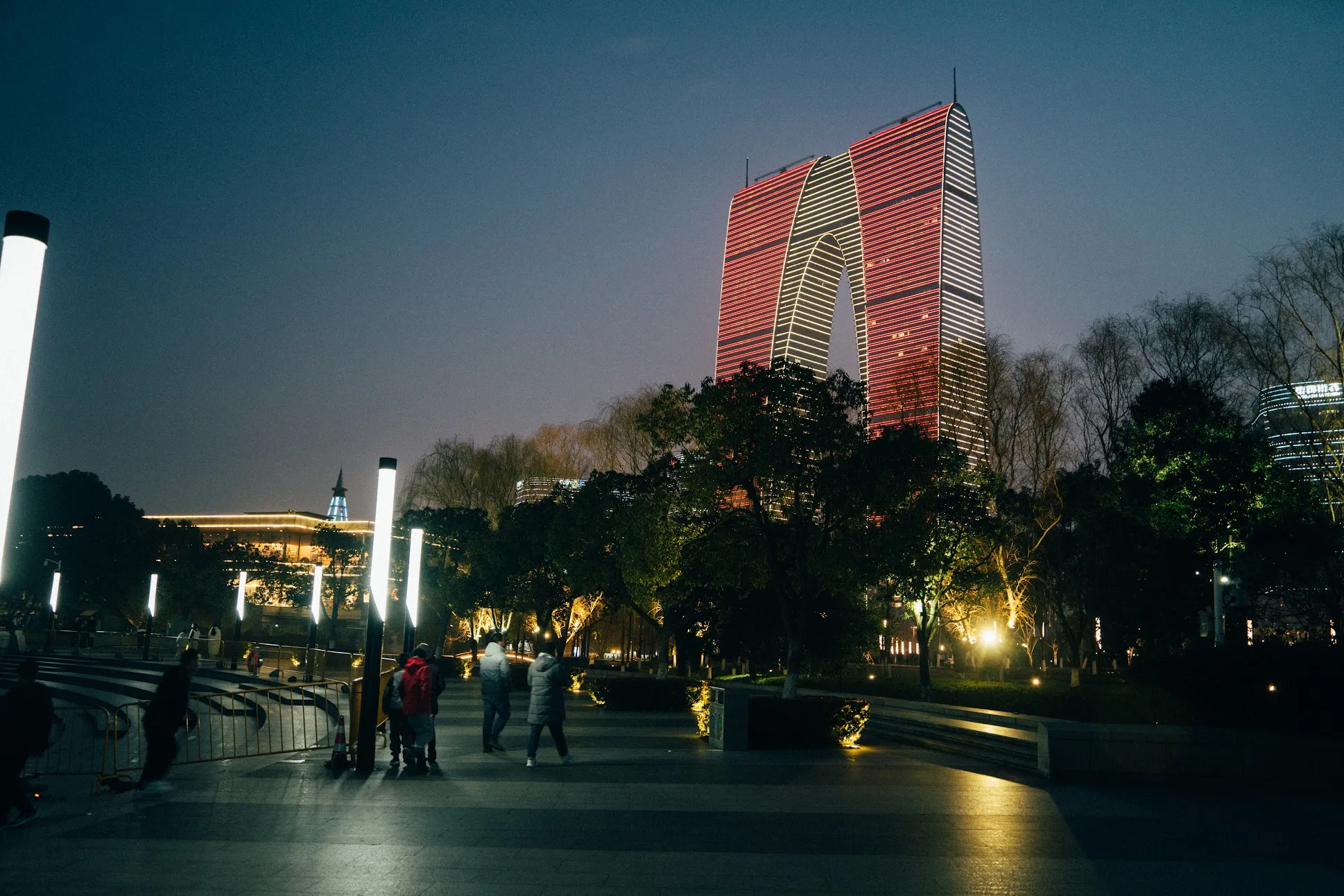
1. Horizontal and vertical flips (watch sharp’s naming)
Section titled “1. Horizontal and vertical flips (watch sharp’s naming)”In libvips, mirroring is performed by vips_flip(direction) with horizontal (left-right mirror) or vertical (top-bottom mirror).
// Horizontal mirror (left-right): compatible with AccessSequentialif err := image.Flip(vips.DirectionHorizontal); err != nil {    return err}
// Vertical mirror (top-bottom): requires random access or prior materializationif err := image.Flip(vips.DirectionVertical); err != nil {    return err}
import sharp from 'sharp';
// flop() = horizontal mirror (left-right)await sharp('input.jpg').flop().webp({ quality: 82 }).toFile('flip-horizontal.webp');
// flip() = vertical mirror (top-bottom)await sharp('input.jpg').flip().webp({ quality: 82 }).toFile('flip-vertical.webp');import pyvips
image = pyvips.Image.new_from_file("input.jpg")horiz = image.fliphor() # equivalent to image.flip("horizontal")vert = image.flipver() # equivalent to image.flip("vertical")horiz.write_to_file("flip-horizontal.webp", Q=82)vips flip input.jpg 'flip-horizontal.webp[Q=82]' horizontalvips flip input.jpg 'flip-vertical.webp[Q=82]' vertical2. Canvas padding and edge extension modes (Embed / Gravity / extend)
Section titled “2. Canvas padding and edge extension modes (Embed / Gravity / extend)”To add fixed padding around an image or letterbox a landscape photo inside a square canvas without cropping, use vips_embed or vips_gravity.
libvips supports six edge-extension strategies (VipsExtend) for filling the newly exposed canvas area:
| Extension strategy | govips vips.ExtendStrategy |
sharp extendWith |
pyvips / vips CLI extend |
Visual effect |
|---|---|---|---|---|
| Black fill | vips.ExtendBlack |
'background' (default black) |
"black" |
New pixels are all zero |
| White fill | vips.ExtendWhite |
'background' (with white) |
"white" |
New pixels are all maximum |
| Custom background colour | EmbedBackground / EmbedBackgroundRGBA |
'background' + background |
"background" + background=[...] |
Fills with custom RGB/RGBA |
| Edge clamping | vips.ExtendCopy |
'copy' |
"copy" |
Repeats the outermost border pixels |
| Mirror reflection | vips.ExtendMirror |
'mirror' |
"mirror" |
Reflects the image across each edge |
| Periodic tiling | vips.ExtendRepeat |
'repeat' |
"repeat" |
Tiles the entire image repeatedly |
// Option A: Pad 40px on all four sides with a custom background colourw, h := image.Width(), image.Height()bg := &vips.Color{R: 248, G: 250, B: 252}if err := image.EmbedBackground(40, 40, w+80, h+80, bg); err != nil {    return err}
// Option B: Pad 40px using mirror edge reflection (ExtendMirror)if err := image.Embed(40, 40, w+80, h+80, vips.ExtendMirror); err != nil {    return err}
import sharp from 'sharp';
// Pad 40px on each side with a background colour or extendWith: 'mirror' | 'copy' | 'repeat'await sharp('input.jpg') .extend({ top: 40, bottom: 40, left: 40, right: 40, extendWith: 'background', background: { r: 248, g: 250, b: 252 }, }) .webp({ quality: 82 }) .toFile('padded.webp');import pyvips
image = pyvips.Image.new_from_file("input.jpg")padded = image.embed( 40, 40, image.width + 80, image.height + 80, extend="background", background=[248, 250, 252],)padded.write_to_file("padded.webp", Q=82)W=$(vipsheader -f width input.jpg)H=$(vipsheader -f height input.jpg)vips embed input.jpg 'padded.webp[Q=82]' 40 40 $((W + 80)) $((H + 80)) \ --extend background --background 248,250,2523. Multi-image stitching and grid layout (Join / ArrayJoin)
Section titled “3. Multi-image stitching and grid layout (Join / ArrayJoin)”To stitch two images side by side or vertically, or to arrange an array of thumbnails into an N-column sprite sheet or contact grid, use join and arrayjoin:
// 1. Two-image horizontal or vertical joinif err := leftImg.Join(rightImg, vips.DirectionHorizontal); err != nil {    return err}
// 2. Multi-image grid layout with 2 columns per row (ArrayJoin)if err := tile1.ArrayJoin([]*vips.ImageRef{tile2, tile3, tile4}, 2); err != nil {    return err}
import sharp from 'sharp';
// Pass an array of inputs with the join constructor option (across sets columns, shim sets spacing)await sharp(['tile1.webp', 'tile2.webp', 'tile3.webp', 'tile4.webp'], { join: { across: 2, shim: 8, background: { r: 29, g: 45, b: 53 }, },}) .webp({ quality: 82 }) .toFile('grid.webp');import pyvips
tiles = [pyvips.Image.new_from_file(f"tile{i}.webp") for i in range(1, 5)]grid = pyvips.Image.arrayjoin(tiles, across=2, shim=8, background=[29, 45, 53])grid.write_to_file("grid.webp", Q=82)vips arrayjoin "tile1.webp tile2.webp tile3.webp tile4.webp" 'grid.webp[Q=82]' \ --across 2 --shim 8 --background 29,45,53